Duo Mobile
- 4.2
- Rating
- 50.00M
- Installs
- Free
- Price

 Analysis by App-foxy
When I need to approve a sign-in quickly, I want the security step to feel almost invisible without becoming careless. Duo Mobile is built for that narrow but important job: it helps confirm access to accounts protected by Cisco Duo. I found it most useful as a companion to work and school logins rather than as an all-purpose password manager or general business app.
The app belongs to the Business category and is developed by Cisco Systems, Inc. It is free to install, carries an Everyone age rating, and has reached more than ten million installs. Those figures fit my impression of it: this is a focused authentication tool intended to sit quietly on a phone and be opened when a protected service asks for an extra check.
Its store summary, “Security made simple,” is a fair description of the goal, although the experience depends on how an organization has configured Duo. The application itself can be straightforward, but enrollment, available approval methods, and account recovery are often connected to the workplace or institution using it. That distinction matters before you decide whether it is the right app for you.
You May Also Like

 AccuWeather: Weather Radar
AccuWeather Review: A Quick, Clear Forecast for Everyday Decisions
For everyday plans, the best forecast is the one you can understand quickly. AccuWeather makes rain timing, radar, and local conditions easy to act on, with a few trade-offs.

 Hill Climb Racing
Why Hill Climb Racing Still Turns Crashes Into One More Run
A tiny car, a bumpy hill and one more upgrade: Hill Climb Racing keeps resurfacing because its simple chaos makes every near-miss feel personal.

 AliExpress - Shopping App
AliExpress Makes Global Shopping Feel Personal, but Shoppers Bear the Risk
AliExpress turns a global marketplace into a pocket-sized discovery engine. Its reach is useful, its shopping loop compelling, and its trade-offs easy to miss.

 Lords Mobile: Kingdom Wars
Lords Mobile Is a Kingdom-Building Routine, Not a Quick Match
A case-by-case verdict on the building, battles, device demands, and social commitments that make Lords Mobile rewarding for some players and exhausting for others.

 PDF Scanner app - TapScanner
TapScanner Makes Paperwork Easier to Capture, Check, and Share
TapScanner makes scanning with a phone feel less like a rescue operation and more like a dependable step in getting work done. Its capture tools are useful, though not flawless.

 Block Blast!
Block Blast! Shows How Much a Puzzle Game Can Leave Out
A quiet grid game shows why puzzle players increasingly value instant clarity, repeatable skill and low-pressure play—and where the genre still needs to catch up.
More From Our News Desk
View All News


How Duo Mobile feels in everyday use
I find Duo Mobile most useful when its role is clear: it is a companion for sign-ins protected by an organization, not a tool I need to open just to explore. Before relying on it, I would make sure I know which account each prompt belongs to and how to reach the organization’s support if access becomes complicated. That practical context helps explain the choices and trade-offs that shape the experience.
Fast enough when the phone is ready
In normal use, the biggest advantage is that the app does not ask me to perform a long sequence of actions. I open it when needed, identify the relevant account, and complete the available verification step. The perceived speed comes less from flashy interface design and more from keeping the task small. For a person signing in several times during a workday, that restraint is valuable.
The experience is particularly comfortable when the phone is already unlocked and the account has been enrolled correctly. I do not have to treat the app like a dashboard that deserves regular browsing. It is more like a key kept in a digital pocket: useful when requested, otherwise easy to ignore.
There is an important practical difference between a fast app and a fast login. Duo Mobile can respond promptly while the complete sign-in still takes longer because of the website, network, device lock, or an organization’s security rules. I would not blame the app for every delay at that point. The useful question is whether the authentication screen and the phone cooperate without unnecessary confusion, and that is where its focused design helps.
What happens during repeated approvals
Heavy use is not usually about opening the app once. It can mean moving between email, a company portal, a virtual desktop, and internal tools while the phone is also handling ordinary calls and messages. In that situation, the main strain is mental rather than computational: I need to know which account is requesting approval and avoid accepting a prompt I did not initiate.
That is why I recommend pausing for a second before approving anything unexpected. A security app should not turn every prompt into an automatic reflex. If an approval appears while I have not just attempted to sign in, I treat that as a reason to investigate rather than tap through it. This habit is more important than shaving a moment off the interaction.
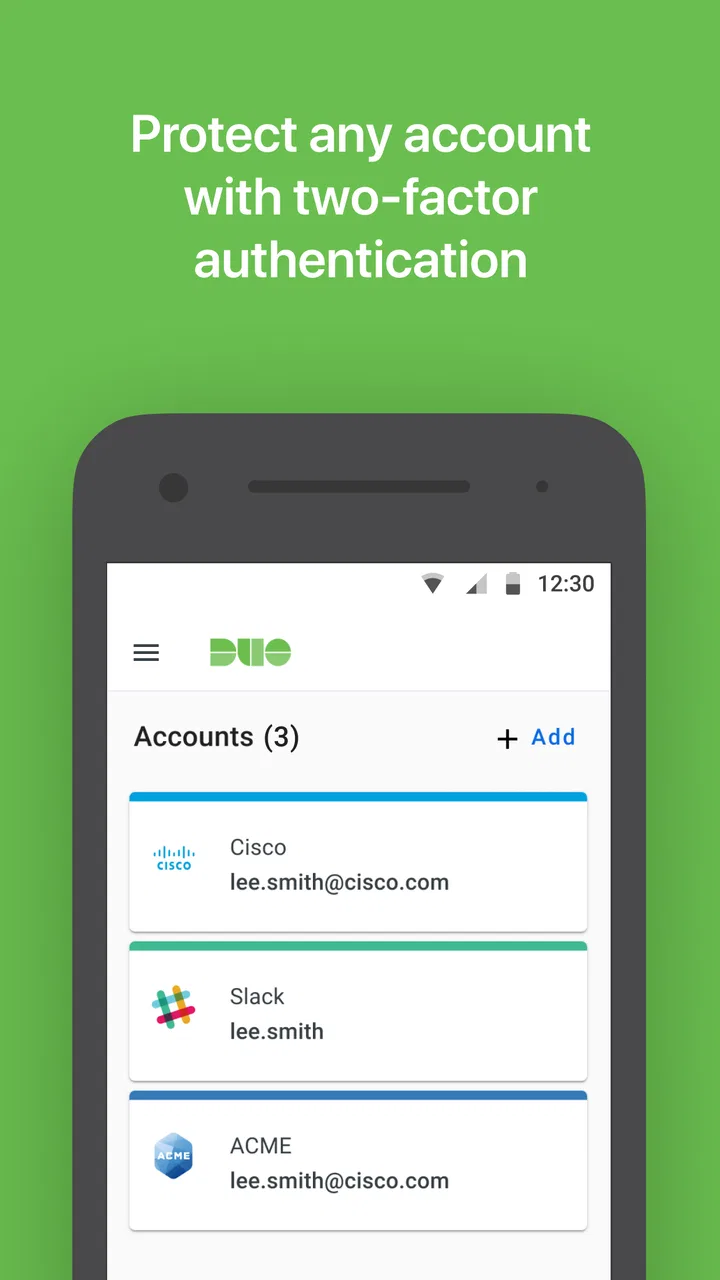
For people who authenticate repeatedly, account naming becomes a small but meaningful detail. Keeping work, education, and personal entries clearly distinguishable reduces hesitation. If several accounts have similar labels, the app may still be usable, but the user has created avoidable friction. I would organize the entries immediately after enrollment instead of waiting until a busy morning.
Stability matters more than visual extras
Authentication software earns trust by being predictable. I do not need animations, news feeds, or a large collection of optional tools during a sign-in. I need the app to open, show the right account, and let me complete the check without making me wonder whether a tap registered.
My overall impression is that Duo Mobile is strongest when used for its intended purpose and kept current. The present version is 4.107.0, and the app has been available since May 3, 2011. That long presence gives it a more established feel than a newly released security utility, while the current version still matters because authentication services and mobile operating systems change over time.
Stability also depends on the phone itself. A device that is overloaded, has very little free space, or is running an outdated system can make any security step feel unreliable. I would not evaluate the app only by how quickly it launches on a clean test device. The real test is whether it remains understandable when I am already in a hurry and the login is time-sensitive.
Resource demands and the cost of keeping it installed
Duo Mobile is the kind of app I can leave installed without thinking about it every day. Its role is occasional but important, so the value is not measured by how much entertainment or productivity I get from constant use. The relevant trade-off is accepting another security app on the phone in exchange for a smoother protected-login routine.
I would still avoid treating any authentication app as disposable. Removing it casually can create a problem at the exact moment access is needed. Before changing phones, resetting a device, or deleting the application to save space, I would check the organization’s enrollment and recovery instructions. That preparation is a more useful performance tip than trying to optimize a few seconds of launch time.
People with older or tightly managed phones should pay attention to the minimum requirement: Duo Mobile needs iOS 11 or later. That is not a demanding threshold for many users, but it excludes devices that cannot reach that operating-system level. If the phone is too old to meet it, the problem is not something an in-app setting can solve; the user will need an approved alternative from the organization or a compatible device.
Recovery is part of the product experience
The most important limitation I see is that authentication apps are easy to appreciate when the original phone is in your hand and much harder to appreciate after loss, damage, replacement, or a reset. Duo Mobile is not something I would install and then forget about until an emergency. I would learn how my employer or school handles re-enrollment before I need it.
A sensible routine is to update the organization’s recovery contact or follow its documented process while I still have access. I would also avoid assuming that installing the app on a replacement phone automatically recreates every account. Enrollment is a security-sensitive step, so the institution may require an administrator, another verification method, or an approved recovery route.
This is also where Duo Mobile differs from a simple code generator used independently for personal accounts. With a standalone authenticator, I may have more direct control over how entries are transferred or restored, depending on the service. With Duo, the organization’s policy can be central. That can be reassuring in a managed workplace, but it can feel restrictive if I want complete personal control.
Where it fits beside other authentication choices
Compared with approving a login through a text message, using a dedicated app can feel cleaner because the verification activity stays in the security workflow rather than depending entirely on a message arriving. It also avoids making the phone’s messaging inbox the main place to look. However, the best option is still the one the account administrator supports and the one I can reliably access.
Compared with a hardware security key, Duo Mobile is more convenient for someone who already carries a smartphone, but the phone introduces its own dependencies: battery, operating-system compatibility, access to the device, and recovery planning. A hardware key can be a better fit for users who want a separate physical credential or who work under stricter security practices, provided their service supports it.
Compared with a general password manager, Duo Mobile has a narrower purpose. I would not choose it to store, organize, or generate a complete collection of passwords. Its strength is the second step around a protected sign-in, not replacing the rest of my account-security routine. Someone seeking one app for passwords and authentication may prefer a broader tool, while an organization already using Duo may value this focused separation.
Who will get the most from it
I think Duo Mobile is a strong match for employees, students, contractors, and other users whose organization has adopted Cisco Duo. It is also suitable for people who want a dedicated place for their managed authentication prompts instead of mixing that task with a password vault or a crowded messaging app.
The app is less appealing for someone who has no service configured to use Duo. Installing it without an account or enrollment path does not create a general security solution by itself. I would also hesitate to recommend it as the only plan for a person who frequently loses phones, changes devices without preparation, or cannot contact the organization responsible for the account.
It may not be the best choice for a user who wants complete independence from an employer or school. In that case, a personal authenticator or security-key setup may offer a better sense of control, assuming the relevant services support those methods. The right choice is not simply the app with the highest rating; it is the method that matches the account’s requirements and the user’s recovery habits.
A realistic workday example
Imagine starting a morning at home and signing in to a company portal before a meeting. I enter my normal credentials, reach the additional security step, and use the phone to confirm the request. Later, I switch to another work system and repeat the process. If the account labels are clear and the phone is available, the app stays out of the way and the routine feels manageable.
Now imagine the same morning after replacing the phone the previous evening. The login may not be the moment to discover that the old device was still tied to the account. The practical lesson is simple: Duo Mobile works best when enrollment and recovery are treated as part of setup, not as emergency chores. I would complete those steps during a calm moment and keep the organization’s instructions accessible.
There is another everyday scenario worth considering. I might receive an approval request while I am away from my desk, even though I did not start a login. The app can make approval convenient, but convenience should not override judgment. I would deny or ignore an unexpected request and contact the responsible support team if it continues. This is one of the few mobile workflows where a slower, more cautious decision is the better experience.
Small habits that improve the experience
First, I would give each enrolled account a recognizable name. That is especially useful if the same phone serves more than one institution. Clear labels reduce the chance of approving the wrong request and make repeated sign-ins less tiring.
Second, I would test the recovery route before traveling or changing phones. I would not wait until I am locked out to learn whether the organization needs an administrator or another verification method. This is a non-obvious strength of planning around the app: the software may be simple, but the surrounding process determines whether it remains useful during disruption.
Third, I would keep the phone’s operating system within the supported range and install updates through the normal app-store process. Duo Mobile supports iOS 11 and later, so users with older devices should check compatibility before depending on it for an essential account. A security tool that cannot run on the phone is not a backup plan.
Finally, I would avoid approving prompts automatically. The app’s speed is helpful, but the user still needs to verify that the request matches an action they just started. This habit protects the purpose of the application instead of reducing it to a button-tapping exercise.
How the public reception fits my view
Duo Mobile has an average rating of 4.4 from around eighty-six thousand ratings, with roughly six thousand two hundred written reviews. It also has more than ten million installs. I see those figures as evidence that the app is widely used and generally well received, not as proof that every login situation will be effortless.
Authentication experiences are unusually dependent on the surrounding service. A user can have a smooth app interaction but still encounter a blocked account, an enrollment issue, or an organization-specific rule. That is why I would read complaints about this type of app carefully: some problems belong to the mobile interface, while others come from the account administrator or the sign-in system behind it.
My performance verdict
After looking at speed, repeated use, stability, resource expectations, and recovery, I see Duo Mobile as a focused and sensible security companion rather than a feature-packed business suite. Its best quality is discipline: it concentrates on helping me complete an added sign-in check without turning the phone into another complicated workplace dashboard.
I would recommend it when an employer, school, or service already relies on Cisco Duo and the user is prepared to manage enrollment responsibly. The free price and Everyone rating make it approachable, while the broad adoption and 4.4 average suggest that many people find the basic experience dependable. Still, I would not recommend installing it blindly or assuming that recovery will take care of itself.
My bottom line is that Duo Mobile is fast enough in ordinary use, modest in its demands, and most reliable when paired with good account organization and a tested recovery plan. Choose it when managed Duo authentication is the requirement. Choose a different authenticator, password manager, or hardware key when you need broader personal control, password storage, or a device-independent security method. For the right user, its narrow purpose is exactly what makes it practical.
FAQs for Duo Mobile
01What is Duo Mobile and how does it enhance security?
Duo Mobile is a security app that provides two-factor authentication (2FA) to secure user accounts across various platforms. By requiring a second form of verification, such as a push notification or a passcode, it adds an extra layer of security to your logins, making it more difficult for unauthorized users to gain access to your accounts.
02Is Duo Mobile compatible with all devices and platforms?
Duo Mobile is available for both Android and iOS devices, ensuring broad compatibility. It supports integration with multiple platforms including Windows, macOS, and various web services. This makes it versatile for users who operate across different systems and need a unified security solution.
03How does the push notification feature work in Duo Mobile?
The push notification feature in Duo Mobile allows users to quickly verify their identity when logging in. After entering your username and password, a notification is sent to your mobile device. You can then approve or deny the login attempt with a single tap, streamlining the authentication process without compromising security.
04What should I do if I lose access to my device with Duo Mobile installed?
If you lose access to your device, it’s important to contact your organization's IT support or Duo administrator immediately. They can help you regain access by resetting your authentication methods or providing temporary codes. It’s also advisable to have backup authentication methods set up in advance.
05Are there any costs associated with using Duo Mobile?
Duo Mobile is free for individual users who need basic two-factor authentication. However, businesses and larger organizations may incur costs if they choose to implement Duo’s enterprise solutions, which offer advanced features such as analytics and user management tools. Pricing varies based on the level of service required.
Pros
- Easy to set up and use.
- Supports multiple accounts.
- Strong security features.
- Low battery consumption.
- Seamless integration with apps.
Cons
- Limited offline functionality.
- No dark mode option.
- Occasional sync delays.
- SMS codes can incur charges.
- No desktop app available.

Duo Mobile
Gallery